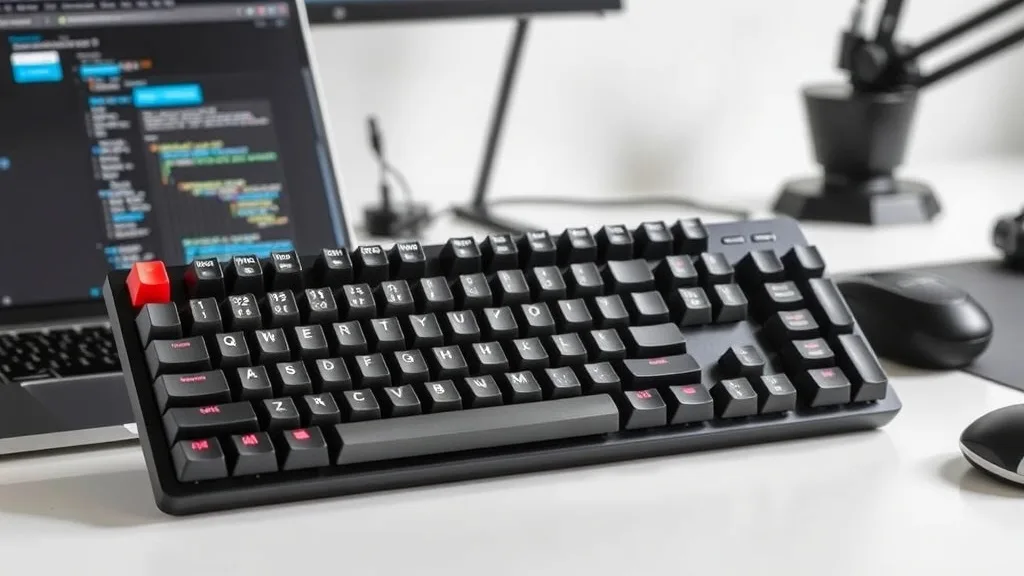
Best Mechanical Keyboards for Programmers Under $150 (2026 Update)
‘;
});
// Mostrar após breve delay (mais natural)
setTimeout(function() {
document.getElementById(‘poll_options_poll_2109’).style.display = ‘none’;
var resultDiv = document.getElementById(‘poll_result_poll_2109’);
resultDiv.innerHTML = resultsHtml;
resultDiv.style.display = ‘block’;
}, 600);
// GA4 event tracking
if (typeof gtag === ‘function’) {
gtag(‘event’, ‘poll_interaction’, {
‘poll_question’: ‘What’s your home office setup budget?’,
‘poll_answer’: answer,
‘article_title’: document.title
});
}
}
Key Features to Consider
When choosing a mechanical keyboard, programmers should consider several factors:
- Switch Type: Mechanical keyboards come with various switch types like Cherry MX, Razer, and Gateron. Each offers different tactile feedback and noise levels.
- Key Rollover: This feature allows multiple keys to be pressed simultaneously, which is essential for coding efficiency.
- Build Quality: Look for keyboards with robust construction to endure long coding sessions.
- Backlighting: While not essential, backlighting can be beneficial during late-night coding.
- Connectivity: Decide between wired and wireless options based on your workspace setup.
Top Mechanical Keyboards Under $150
1. Keychron K6 Wireless Mechanical Keyboard
The Keychron K6 is a compact, wireless keyboard that provides excellent versatility with its hot-swappable switches. It features Bluetooth connectivity, making it easy to switch between devices, and offers a solid typing experience with its tactile Gateron switches.
2. Razer BlackWidow Lite
The Razer BlackWidow Lite is a sleek, minimalist keyboard perfect for professional environments. It offers Razer Orange switches, which are quiet yet tactile, making it ideal for office use. The keyboard also includes O-rings to further dampen the sound, providing a more muted typing experience.
3. Logitech G413 Carbon
The Logitech G413 Carbon features Romer-G switches designed for precise and quiet performance. Its aircraft-grade aluminum alloy top case adds to its durability, and the keyboard includes a USB passthrough for convenient connection of peripherals.
4. Corsair K68 RGB
With the Corsair K68 RGB, you get a keyboard that combines vibrant RGB lighting with spill-resistant features. It uses Cherry MX Red switches, known for their smooth and linear feel, making it a favorite among programmers who prefer less tactile resistance.
5. Ducky One 2 Mini
The Ducky One 2 Mini is a 60% layout keyboard, perfect for those craving a minimalistic setup. Despite its compact size, it does not compromise on quality, offering Cherry MX switches and customizable keycaps.
How to Maintain Your Keyboard
Proper maintenance of your mechanical keyboard can extend its lifespan significantly. Regular cleaning is essential. Use a keycap puller to remove keys and clean the surface beneath. Compressed air can help remove dust and debris from the switches. Additionally, avoid eating or drinking near your keyboard to prevent spills.
Conclusion
Investing in a quality mechanical keyboard can greatly enhance your programming experience. Whether you prioritize compact design, quiet switches, or vibrant backlighting, there is a keyboard under $150 that suits your needs. Remember to consider the key features that matter most to you, and you’ll find the perfect keyboard to boost your productivity.
“`html
What are the best mechanical keyboards for programmers under $150?
Some top-rated mechanical keyboards for programmers under $150 include the Keychron K2, Ducky One 2 Mini, and the Logitech G Pro X. These keyboards offer a great balance of build quality, key switch options, and features like customizable RGB lighting and wireless connectivity, making them ideal for programming tasks.
Are wireless mechanical keyboards reliable for programming?
Yes, wireless mechanical keyboards like the Keychron K2 and Logitech G613 are reliable for programming. They offer stable Bluetooth or proprietary wireless connections and long battery life, ensuring minimal input lag and consistent performance. These features make them suitable for programmers who prefer a clutter-free workspace.
What key switch types are best for programming?
For programming, tactile switches like Cherry MX Brown or Gateron Brown are popular due to their tactile feedback and moderate actuation force. They provide a good balance between typing comfort and responsiveness, helping reduce typing fatigue during long coding sessions.
“`
For those interested in enhancing their overall tech setup, consider exploring the best antivirus software for 2026 to protect your digital workspace.
Alex Chen is a technology analyst with 8 years of experience reviewing consumer electronics.
Last reviewed: March 11, 2026